


OUR TULIP TOUR SLOTS IN APRIL ARE FILLING UP QUICKLY – WE RECOMMEND TO BOOK EARLY
ContactRide with GPS Experience App
Ride with GPS Experience App
Unlock the full potential of your adventure with our Ride With GPS Experience App, which provides all the essential details right on your phone. Access daily itineraries, detailed route maps, elevation profiles, and local dining spots, all designed to enhance your travel experience. Whether you’re cycling solo or with a group, our app is the perfect companion to support your journey, offering you everything you need for a seamless ride.
The Ride With GPS Experience App is a free mobile app that turns your smartphone into a powerful cycling navigation tool. Download your tour maps and daily itineraries directly to your phone, and access them offline whenever you need. With voice-guided navigation on all routes, you can enjoy a hassle-free cycling experience, no matter where you are.
Route Maps & Local Guide
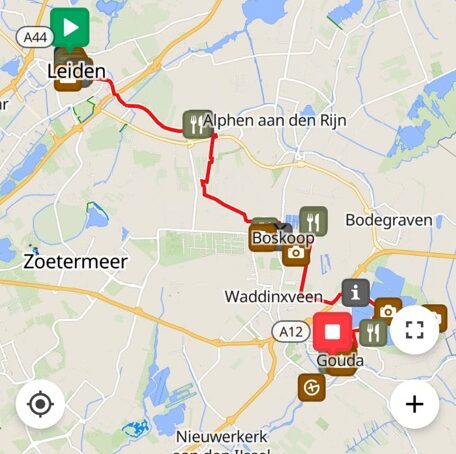
Preview the next day’s route options directly on your phone, or use our maps to guide you on spontaneous adventures. Each map provides detailed information, including the best diverse dinging experiences, key points of interest, information on towns that you pass, museum’s and more. Whether you’re following the planned itinerary or venturing off the beaten path, our maps are the perfect resource for navigating your journey.
How It Works
Six weeks before your tour with us, you’ll receive an email containing an access code. To get started, simply download the free Ride with GPS Experience app, available for both iPhone and Android. Once installed, open the app, tap “Enter Code” on the sign-in screen, and enter the code provided in the email. After entering your code, you’ll be prompted to add your name, and from there, you’ll be able to download all your tour content directly to your phone for offline use. To ensure everything runs smoothly, make sure you’ve downloaded your tour’s content before the trip.
The app works on both iPhone (iOS 8 or newer) and Android (version 2.3 or newer). Note that while the app is designed to use minimal battery, it’s always a good idea to take a few steps to preserve energy:
• Switch your phone to Flight Mode while cycling.
• Keep the screen off when not in use.
• Close apps that you are not using.
• Lower your screen brightness.
We recommend carrying a portable power bank to recharge your phone while on the go. If you’re traveling internationally, then make sure you have a Dutch power adapter. Always charge your phone fully every evening in your hotel room.
When navigating your route, the app will provide turn-by-turn voice guidance along with on-screen alerts. A visual notification will pop up over the lock screen to accompany the audio prompts. While cycling, you typically won’t need to check the map unless you wish to stop and review it.
For mounting your phone on your bike, we offer a universal silicone phone mount, which works with all smartphones. If it rains, consider keeping your phone safe in a waterproof pocket, or use a waterproof case like the armband-style cases available at most stores.
Navigation and Alerts
The app will guide you with both voice and visual cues. Here’s what you can expect:
• Spoken Directions: Turn-by-turn voice prompts will guide you through your route.
• Advance Notifications: The app will let you know what’s coming next, for example, “Turn left in 1/4 mile” after you’ve completed a turn.
• Approaching Cue Alerts: When you’re nearing a turn, the app will beep 10-12 seconds before the turn.
• Visual and Audio Alerts: Cue descriptions will appear on your map, making it easy to follow along.
More questions about the use of the App? Check out our FAQ’s to find more information.